Testé sur une
Philips 29PT5520 et manip reprise d'une
28PT4456. Ca a l'air de fonctionner sur pas mal de modèle vu que c'est souvent le même code :
SERVICE ALIGNMENT MODE [SAM]
Citation :
• Appuyer à la suite sur 0 6 2 5 9 6 {i+}
• Remplacer {i+} par {OSD} ou {STATUS} selon la télécommande
• Généralement il faut saisir la manip avec la télé allumée
• Si ça ne fonctionne pas, il faudra la mettre en veille avant de faire la manip
 MENU EXPLANATION
LLLLL. This represents the run timer. The run timer counts normal operation hours, but does not count standby hours.
AAABCD-X.Y. This is the software identification of the main microprocessor:
• A = the project name (L04).
• B = the region: E= Europe, A= Asia Pacific, U= NAFTA, L= LATAM.
• C = the software diversity:
• Europe: T= 1 page TXT, F= Full TXT, V= Voice control.
• LATAM and NAFTA: N= Stereo non-dBx, S= Stereo dBx.
• Asian Pacific: T= TXT, N= non-TXT, C= NTSC.
• ALL regions: M= mono, D= DVD, Q= Mk2.
• D = the language cluster number.
• X = the main software version number (updated with a major change that is incompatible with previous versions).
• Y = the sub software version number (updated with a minor change that is compatible with previous versions).
• SAM. Indication of the Service Alignment Mode.
• Error Buffer. Shows all errors detected since the last time the buffer was erased. Five errors possible.
• Option Bytes. Used to set the option bytes. See “Options” in the Alignments section for a detailed description. Seven codes are possible.
• Clear. Erases the contents of the error buffer. Select the CLEAR menu item and press the MENU RIGHT key. The content of the error buffer is cleared.
• Options. Used to set the option bits. See “Options” in the Alignments section for a detailed description.
• AKB. Used to disable (Off) or enable (On) the “black current loop” (AKB= Auto Kine Bias).
• Tuner. Used to align the tuner. See “Tuner” in the Alignments section for a detailed description.
• White Tone. Used to align the white tone. See “White Tone” in the Alignments section for a detailed description.
• Geometry. Used to align the geometry settings of the television. See “Geometry” in the Alignments section for a detailed description.
• Audio. No audio alignment is necessary for this television set.
• NVM Editor. Can be used to change the NVM data in the television set.
• ComPaIr. Can be used to switch on the television to In System Programming (ISP) mode, for software uploading via ComPair.
Caution: When this mode is selected without ComPair connected, the TV will be blocked. Remove the AC power to reset the TV.
TO NAVIGATE
In SAM, select menu items with the MENU UP/DOWN keys on the remote control transmitter. The selected item will be highlighted. When not all menu items fit on the screen, use the MENU UP/DOWN keys to display the next / previous menu items.
With the MENU LEFT/RIGHT keys, it is possible to:
Citation :
• Activate the selected menu item.
• Change the value of the selected menu item.
• Activate the selected submenu.
In SAM, when you press the MENU button twice, the set will switch to the normal user menus (with the SAM mode still active in the background). To return to the SAM menu press the MENU or STATUS/EXIT button.
When you press the MENU key in while in a submenu, you will return to the previous menu.
TO STORE SETTINGS
To store the settings changed in SAM mode, leave the top level SAM menu by using the POWER button on the remote control transmitter or the television set.
TO EXIT SAM MODE
Switch the set to STANDBY by pressing the POWER button on the remote control transmitter or the television set. If you turn the television set “off” by removing the AC power (i.e., unplugging the television) without using the POWER button, the television set will remain in SAM when AC power is re-applied, and the error buffer is not cleared.
GEOMETRY
Horizontal
Citation :
• HP : Horizontal Parallelogram. Align straight vertical lines in the top and the bottom; vertical rotation around the center.
• HB : Horizontal Bow. Align straight horizontal lines in the top and the bottom; horizontal rotation around the center.
• HSH : Horizontal Shift. Align the horizontal center of the picture to the horizontal center of the CRT.
• EWW : East West Width. Align the picture width until the complete test pattern is visible.
• EWP : East West Parabola. Align straight vertical lines at the sides of the screen.
• EWT : East West Trapezium. Align straight vertical lines in the middle of the screen.
• UCP : Upper Corner Parabola. Align straight vertical lines in the upper corners of the screen.
• LCP : Lower Corner Parabola. Align straight vertical lines in the lower corners of the screen.
Vertical
Citation :
• SBL : Service blankin. Switch the blanking of the lower half of the screen “on” or “off” (to be used in combination with the vertical slope alignment).
• VS : Vertical slope. Align the vertical center of the picture to the vertical center of the CRT. This is the first of the vertical alignments to perform. For an easy alignment, set SBL to “on”.
• VSH : Vertical Shift. Align the vertical centering so that the test pattern is located vertically in the middle. Repeat the 'vertical amplitude' alignment if necessary.
• VAM : Vertical Amplitude. Align the vertical amplitude so that the complete test pattern is visible.
• VSC : Vertical S-Correction. Align the vertical linearity, meaning that vertical intervals of a grid pattern must be equal over the entire screen height.
 FAQ
FAQ

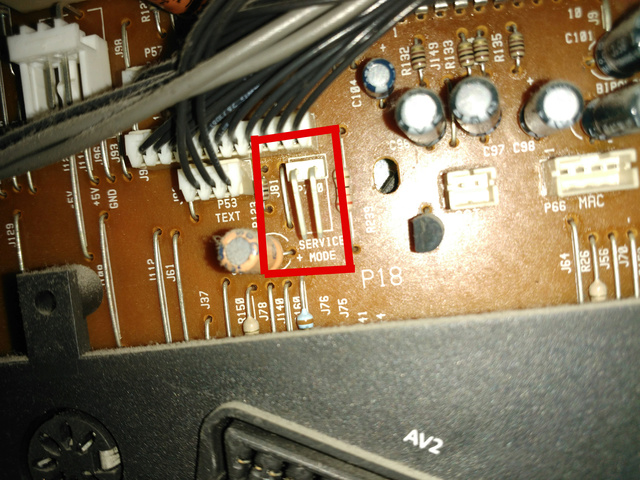




 ). Donc ma télécommande de mon CT1B fonctionne sur mon K5B, l'avantage c'est que j'ai pas 50 télécommandes (bon c'est pas le sujet, désolé...)